








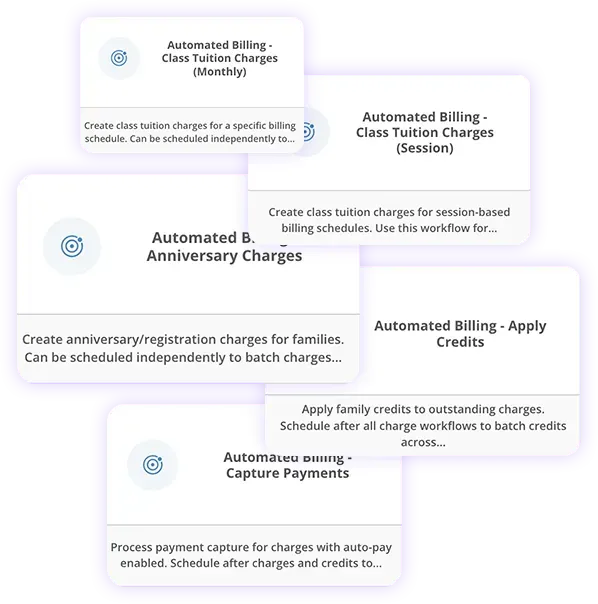
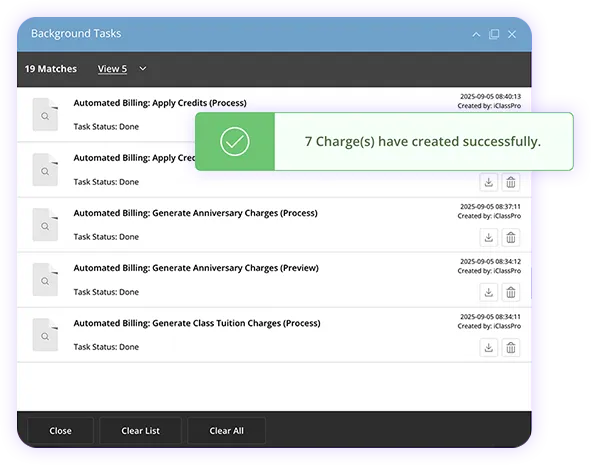



What is automated billing?
Billing runs on Autopilot! Charges run automatically, no buttons to press, no manual hassle.
What is the best use case for Autopilot Billing?
Autopilot Billing streamlines recurring tuition billing by creating charges, applying credits, and collecting payments automatically—saving staff time and reducing errors.
Does it mean every payment goes through?
Payments are processed automatically, and if one fails, families can be notified quickly with our automated communication workflows for less chasing & less awkward reminders.
How does this save my staff time?
No more batch billing days or late-night payment runs. Just set it, and let the system handle the heavy lifting.
Will families know when they’re charged?
Automatic emails or texts—sent through Autopilot communication workflows—keep families informed with real-time success/failure payment updates as payments process.
What payment types work with automated billing?
Credit cards, debit cards, ACH—whatever your processor supports, we can handle.
Can I choose what gets billed automatically?
Yes—you’re always in control of which tuition plans or fees run on autopilot.
What if a payment fails?
No sweat—if a payment fails, families can be automatically notified through Autopilot Communication workflows so you can resolve it quickly.
Is it secure?
Completely. All payments are encrypted and PCI-compliant to protect your business and your families.
How do I get started?
Autopilot Billing is available to all iClassPro customers of any plan subscription. Visit our Education Corner and Knowledgebase to get started.
If you are not yet an iClassPro customer, you can book a time with one of our Pros here!